
Help · Hosts
How it works for hosts
From your first profile to your first payout, step by step.
Become a host
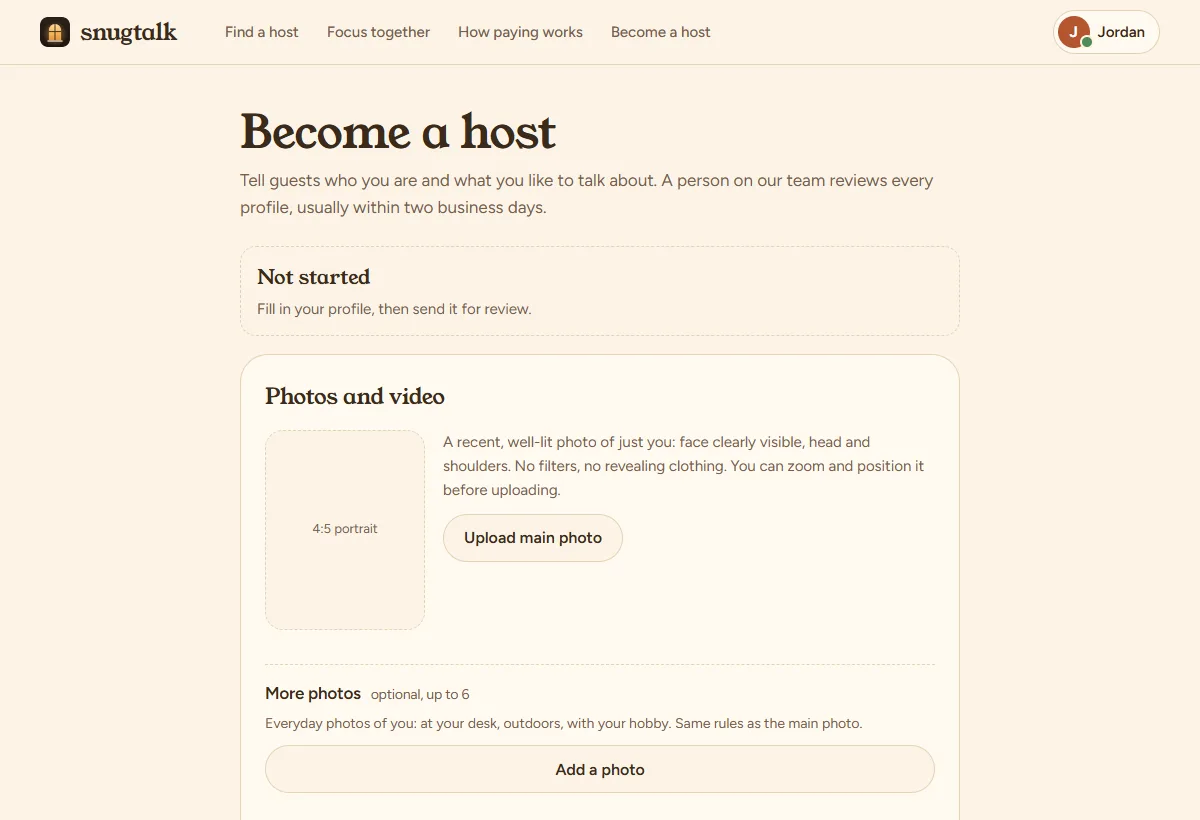
Sign up as a host (or switch to hosting from your account menu) and fill in your profile:
- The name guests will see, a one-line headline, and a few lines about yourself.
- A clear, well-lit photo of just you, head and shoulders. Any size works: drag and zoom it in the editor so it sits nicely in the frame.
- Your languages, and the kinds of calls you offer with a price for each (or free).
You can host from anywhere PayPal can pay you. Hosts outside the US fill in IRS Form W-8BEN before their first payout (US hosts: Form W-9); see Tax form below.
Then tap Send for review. A person checks every profile, usually within two business days, and we email you the result. Keep contact details, handles and links out of your profile.
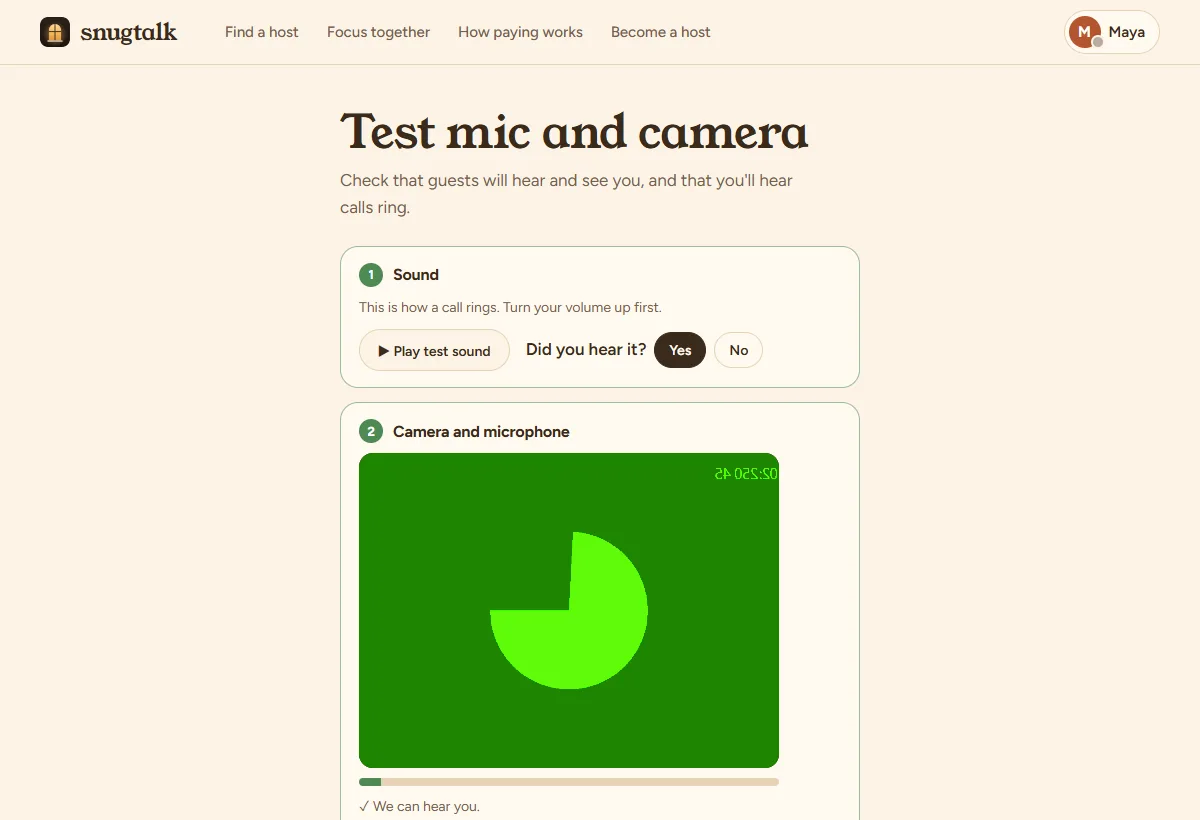
Test your mic and camera
The first time you go online, a short check opens first:
- Play the test sound (this is how a call rings) and tap Yes if you heard it.
- Turn on your camera and microphone and check the picture. The bar moves when you talk.
- Optional: record 5 seconds and play it back to see and hear yourself. The clip never leaves your device.
Once you pass, “Go online” works straight away on any device. You can run the check again any time from the menu: Test mic & camera.
Go online
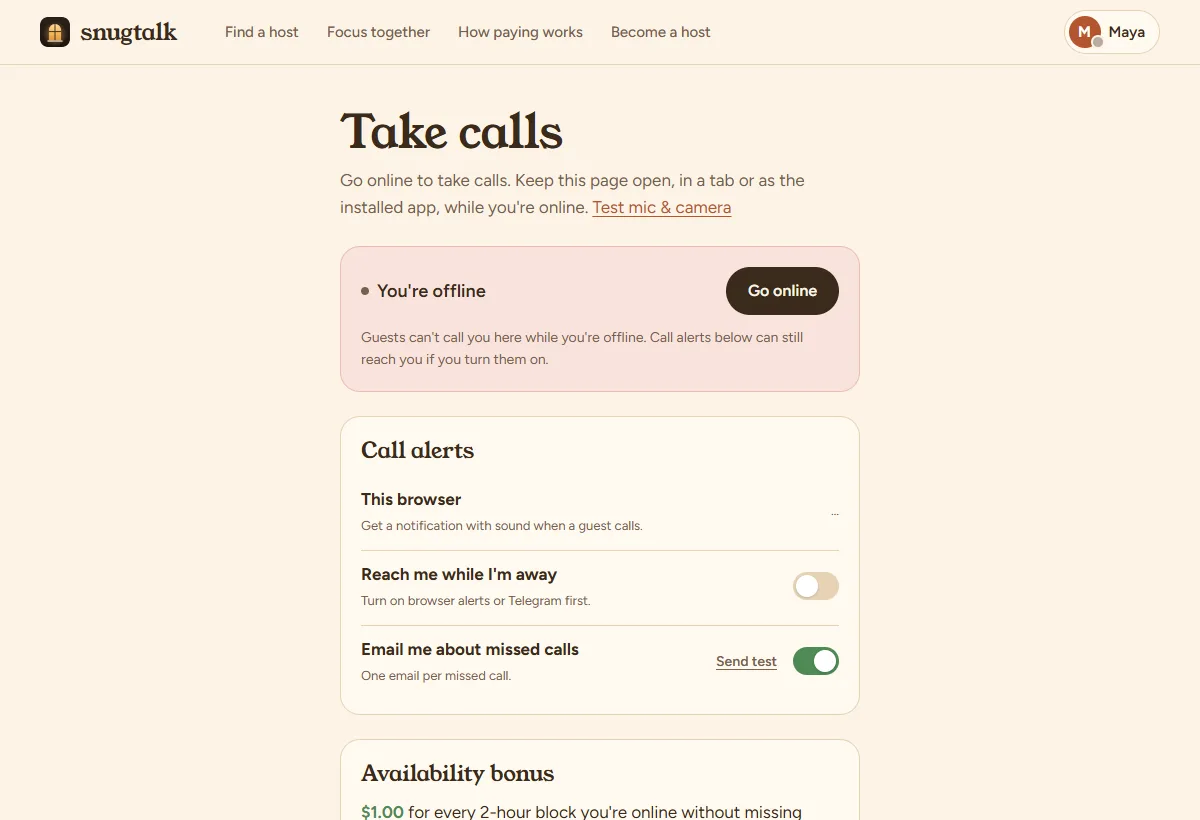
Open Take calls and tap Go online (or switch Online in the menu under your name). Guests see a green Online badge on your photo and can call you.
- Keep SnugTalk open in a tab or as the installed app while you're online. It rings on any SnugTalk page.
- Browsers keep sound off until you click the page once. If you see “Ring sound is off”, click anywhere on the page.
- If your page stops responding for two minutes (browser closed, phone locked, network gone), we set you offline so guests don't ring someone who can't answer. Open SnugTalk again and you're back.
- Done for now? Tap Go offline.
Answer a call
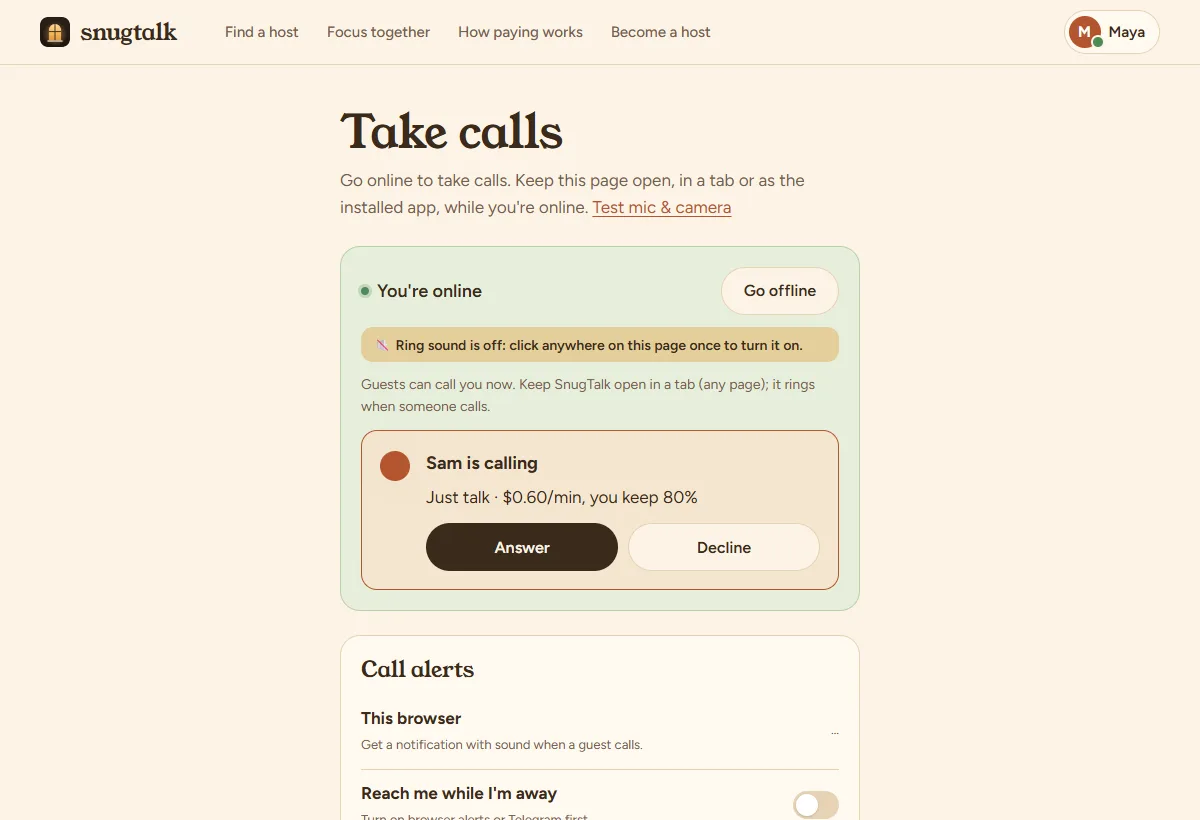
When a guest calls, SnugTalk rings, the tab title and icon change, and a card shows who's calling, what they picked and the price. Tap Answer and the call opens. A call rings for 45 seconds while you're online (90 seconds when it reaches you by an alert).
- Tapping a call alert on your phone or in Telegram answers in one tap.
- Can't talk? Decline. A missed call lands in your Recent calls with a Message back button.
- You keep 80% of every paid minute. The guest's first minute is free.
Call alerts on your phone
So you don't miss calls when SnugTalk isn't in front of you:
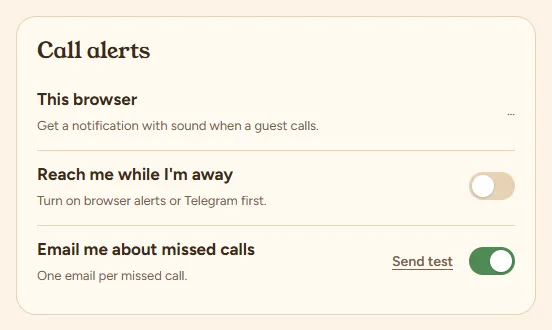
- This browser: turn on notifications. On iPhone, first install SnugTalk: in Safari tap Share → Add to Home Screen, open it from the new icon, then turn alerts on (iPhone shows website alerts only for installed apps). On Android and computers, just turn it on.
- Telegram: connect the SnugTalk bot. Each call arrives as a message with an Answer button.
- Reach me while I'm away: with alerts on, guests see you as Available even when the page is closed, and calls reach you by alert.
- Email me about missed calls: one email per missed call.
Use “Send test” next to each one to make sure it works.
During a call
- The bar at the top shows the time and what you're earning. End call ends it for both of you.
- A text chat may switch to video if the guest asks; your video price applies from then on.
- Focus rooms run by themselves: 2 minutes of hello, microphones off while you both work, then 2 minutes to wrap up. Keep your camera on.
- Anyone rude or asking for something against the rules? End the call and use Report; you can block them too.
Free tries
Visitors can try SnugTalk once for free: a 2-minute call that rings online hosts in turn. You see “Free try” on the call. The visitor's camera is off; they hear and see you. Free tries are how many guests find their first host, so please pick them up: a free try you let ring out or decline counts as a missed call for the availability bonus.
Earnings and payouts
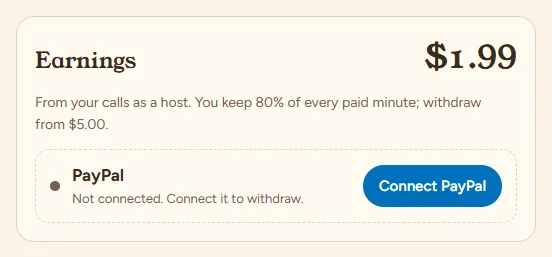
Your Wallet shows what you've earned. To withdraw:
- Connect a PayPal account in your own legal name.
- Upload your tax form (below).
- Tap Withdraw once you have $5 or more. Payouts arrive within 7 business days.
Tax form (W-9 or W-8BEN)
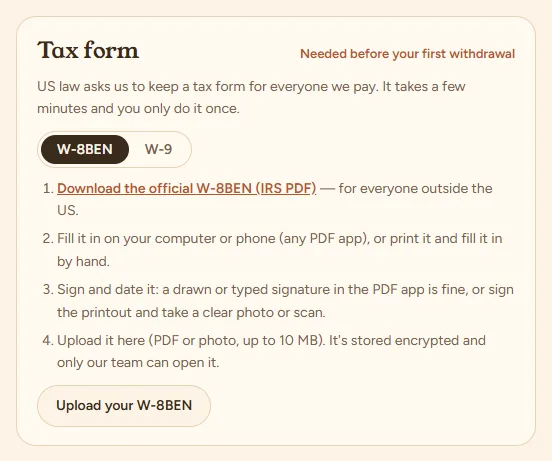
US law asks us to keep a tax form for everyone we pay. Use W-9 if you're a US citizen or resident, W-8BEN otherwise. In your Wallet:
- Download the official IRS form from the link.
- Fill it in on your computer or phone, or print it and fill it in by hand.
- Sign it: a drawn or typed signature in a PDF app is fine, or sign the printout and take a clear photo.
- Upload it (PDF or photo, up to 10 MB). It's stored encrypted and only our team can open it.
You can withdraw as soon as it's uploaded; we'll email you if anything needs fixing.
Availability bonus
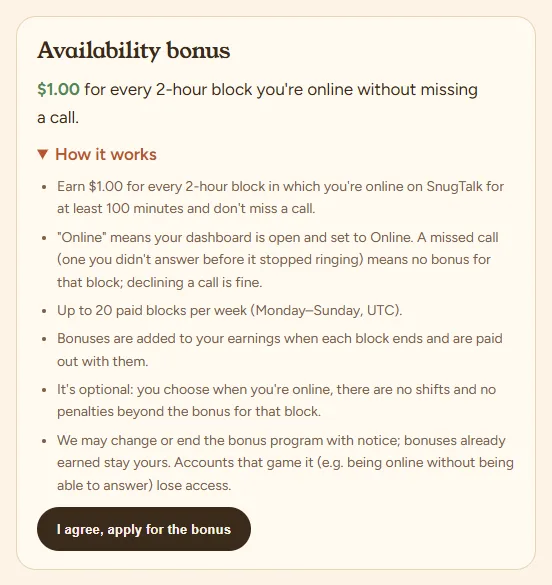
When the program is open, your dashboard shows its terms: a set amount for each block of time you spend online, if you were online long enough in it and didn't miss a call. Read the terms and tap “I agree, apply”. Once approved, you see each week's blocks and what they earned; bonuses go straight to your earnings.
Good to know
- Friendly conversation only: no dating, flirting or adult content, and you're not a therapist, doctor or lawyer. See the Community Guidelines.
- Never take payment, phone numbers or social handles outside SnugTalk.
- You can change prices any time; they apply to new calls. Changes to your name, story or photos get a quick re-review.
- The full terms are in the Host Agreement.
Still stuck? See the FAQ, the guide for guests, or write to us.